If your phone feels hot to the touch right now, unplug it from any charger, pull it out of its case, and set it somewhere shaded or cool with the screen facing down. If it’s too hot to hold comfortably, power it off completely and let it rest for a while before checking again. Should the heat come right back once you turn it on and it’s not charging or under heavy use, that points to a battery or hardware problem that needs a technician, not another software tweak.
TL;DR:
- A phone that feels hot should be cooled immediately by unplugging, removing the case, and avoiding direct sunlight to prevent hardware damage.
- Overheating caused by heavy apps, charging issues, or hardware faults typically resolves within minutes after following a specific cooldown sequence.
- Persistent heat during idle periods, or after software updates, indicates deeper hardware problems like a failing sensor or degraded battery needing professional diagnosis.
- External factors such as humidity, dirty ports, or thick cases can trap heat and worsen overheating, highlighting the importance of proper maintenance and case choice.
- If overheating continues despite troubleshooting, a certified technician can identify internal hardware failures, such as a swollen battery or damaged components, more reliably than DIY fixes.
Table of Contents
- What Causes a Phone to Overheat?
- Cool It Down in Under Five Minutes
- Match the Symptom to the Right Fix
- When Should You See a Repair Technician?
- How Can You Prevent Overheating Going Forward?
- Who Wrote This and Why It’s Worth Trusting
- Does Humidity Make Phone Overheating Worse?
- Are Dirty Ports and Vents Making Your Phone Run Hotter?
- Does Your Phone Case Make Overheating Worse?
- Could a Hardware Fault Beyond the Battery Be the Cause?
- How Do You Track Your Phone’s Temperature Over Time?
- Should You Fix It Yourself or Take It to a Shop?
- Get an Overheating Diagnostic From a Certified Technician
- Where to Verify These Fixes Yourself
- Sources
- FAQ
What Causes a Phone to Overheat?
Most overheating traces back to a few common sources, and figuring out which one applies to you cuts your troubleshooting time in half.
- Ambient heat exposure. Smartphones are built to run within a fairly narrow band, typically 0°C to 35°C, or 32°F to 95°F, so a phone left on a car dashboard or a pool deck can exceed that range in minutes.
- Heavy processing loads. Gaming, GPS navigation, 4K video recording, and hotspot use all push the processor hard enough to generate real, if temporary, heat.
- Charging-related heat. Fast charging, a damaged cable, or a cheap wireless pad can all raise the surface temperature well beyond normal.
- Background drain. Rogue apps, a weak cell signal forcing constant antenna searching, or malware can keep the processor working even when the screen is off.
- Failing hardware. A degraded battery, a corroded charging port, or a faulty temperature sensor can all produce heat that has nothing to do with how you’re using the phone.
Cool It Down in Under Five Minutes
This is the sequence worth memorizing, because most Android and iPhone overheating cases resolve within minutes once you work through it in order.
- Unplug the charger and remove the case. Cases trap heat against the back glass, and a charging cable actively adds more.
- Move to shade or air conditioning. Get the phone off hot surfaces like car seats, direct sun, or a couch cushion.
- Stop heavy apps. Close games, navigation, or video recording, and disconnect any mobile hotspot connection.
- Power off if it’s too hot to hold. A full shutdown for a few minutes clears active processes faster than closing apps one by one.
- Skip the fridge or ice. Rapid cooling causes condensation inside the housing, which risks corrosion on internal components.
- Switch on low power mode or airplane mode, dim the brightness, and disable the hotspot once the phone is back on.
- Check the charging gear. If the phone was plugged in, feel the cable and adapter. A warm or swollen adapter, or a cable with exposed wiring, should be replaced immediately with a certified, properly rated charger.
Pro Tip: Closing apps by hand rarely speeds up cooling once a phone has already started throttling. The operating system has already suspended most background processes on its own, so your fastest move is removing the case, unplugging it, and letting it sit, not tapping through your app switcher.
Match the Symptom to the Right Fix
Where and when the heat shows up tells you a lot about the cause, and it saves you from troubleshooting the wrong thing entirely.
- Hot while charging: Try a different certified cable and adapter, avoid using the phone actively while it fast charges, and charge it on a hard, flat surface rather than a bed or couch where heat has nowhere to escape.
- Hot when idle: Open battery usage settings and look for one app pulling disproportionate power. This is also when it’s worth running a safe-mode restart to rule out malware or a misbehaving third-party app.
- Hot after a software update: This is often normal. Devices run warmer for a day or so while background processes reindex and re-optimize after an update, so give it 24 hours before assuming something is broken.
- Hot during gaming or navigation: Shorten your sessions, cap the screen’s refresh rate if your phone allows it, lower brightness, and close any other apps running in the background.
When Should You See a Repair Technician?
Some warning signs mean you stop troubleshooting and get the phone looked at immediately. A bulging back panel, a warped or lifting screen, or any burning or chemical smell means you stop charging the device right away and bring it to a specialist, since a swollen battery carries real fire risk.
Beyond that, watch for these patterns:
- Heat that returns repeatedly even after a full cool down, case removal, and charger check.
- Battery drain that feels dramatically faster than it did a few months ago.
- Overheating alerts that keep appearing even when the phone feels cool to the touch, which often points to a damaged temperature sensor or a faulty charge port rather than a software issue.
Persistent heat with no obvious cause is one of the clearest signals for professional diagnostics, since a shop can run board-level tests, check the battery’s actual health percentage, and inspect the charging port for corrosion or bent pins, things no app on your phone can fully verify.
How Can You Prevent Overheating Going Forward?
Small setting changes do more for long-term heat management than any single fix.
- Turn on battery saver or low power mode during high-use stretches, and cap your charge limit around 80% if your phone offers that option, since avoiding a constant top-up to 100% reduces both battery wear and heat buildup over time.
- Keep your operating system and apps updated, and delete apps you no longer use, since outdated software is a common source of background strain.
- Charge on a hard, flat surface with a certified charger, and avoid gaming or streaming video while the phone is plugged in and fast charging.
- Lower your screen brightness and refresh rate when you don’t need them at maximum, and turn off background app refresh or syncing for apps you check rarely.
Pro Tip: If you travel between air-conditioned buildings and a hot car often, get in the habit of checking your phone’s temperature before you plug it in. Charging a phone that’s already warm from sitting in a hot vehicle compounds the heat instead of just adding a normal charging cycle’s worth.
Who Wrote This and Why It’s Worth Trusting
This guide comes from SS, a regular contributor for Mobilecareusa with hands-on exposure to the repair patterns behind everyday overheating complaints. Mobilecareusa backs that experience with timely service, repairs finished within a short timeframe, skilled technicians, quality parts, and a warranty on every job. A typical diagnostic visit walks through battery health, charge port condition, and software checks before any part gets replaced.
Does Humidity Make Phone Overheating Worse?
Humidity doesn’t raise your phone’s internal temperature directly the way direct sunlight does, but it changes how effectively heat escapes. A phone dissipates warmth partly through evaporation and airflow across its casing, and in a humid environment that process slows down. This is why a phone can feel hotter and stay hot longer at a beach or in a steamy kitchen than it would at the same air temperature on a dry day.
There’s a second, more damaging risk tied to humidity: condensation. If you move a warm phone from an air-conditioned car into thick outdoor humidity, or the reverse, moisture can form on and inside the device as it adjusts to the new temperature. That moisture is a much bigger threat than the heat itself, since it can corrode charging ports, speaker grilles, and internal connectors over time.
If you live somewhere genuinely humid, a few habits help. Avoid charging in bathrooms right after a shower, keep the phone out of direct steam, and let it acclimate for a few minutes after a big temperature swing before you touch the screen or plug it in. If you notice fogging under the camera lens or moisture around the charging port after a humid day, dry the phone at room temperature rather than reaching for a hair dryer or heater, which just adds more heat on top of an already stressed device.
Are Dirty Ports and Vents Making Your Phone Run Hotter?
Phones don’t have vents in the way laptops do, but they do rely on exposed metal frames, speaker grilles, and charging ports to shed heat and maintain a clean electrical connection. Dust, lint, and pocket debris building up in these spots can trap heat against the casing and interfere with how efficiently a charging cable makes contact.
A charging port packed with lint is one of the more overlooked causes of a phone running hot specifically during charging. The debris creates resistance at the connection point, and that resistance generates extra heat right where the cable meets the phone. It can also cause charging to slow down or cut out intermittently, which some users mistake for a battery problem.
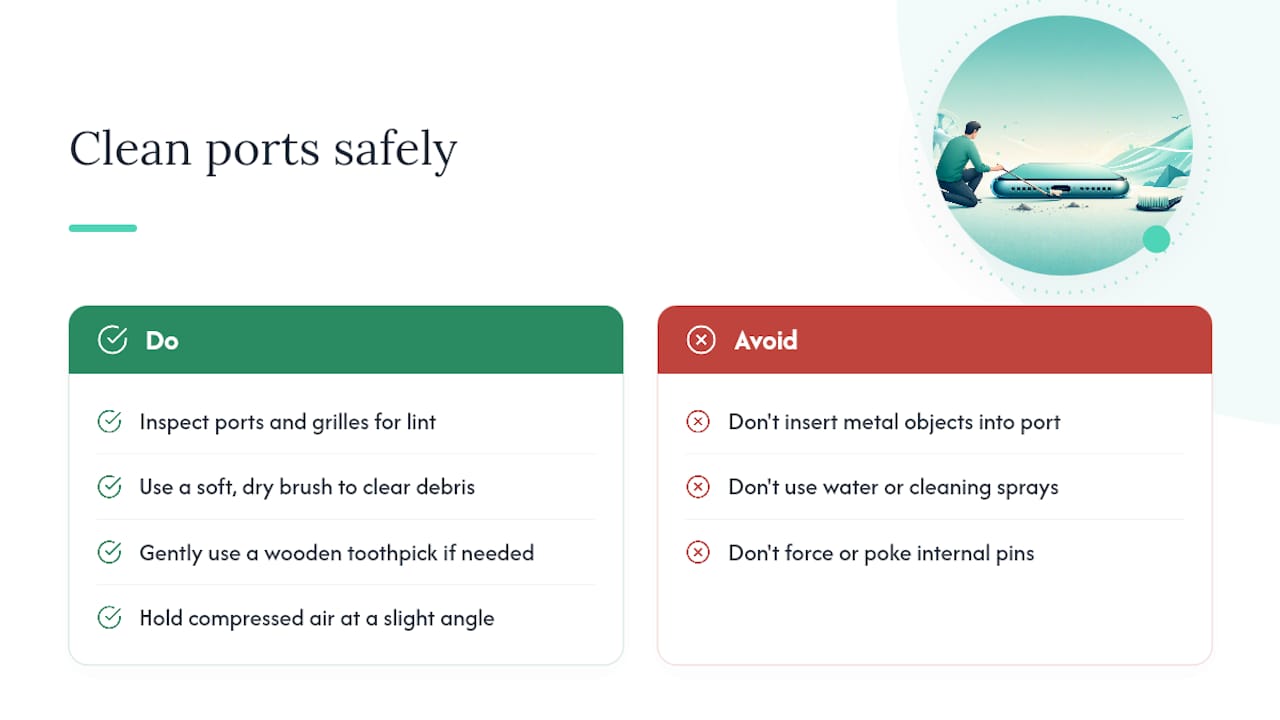
Cleaning this out is simple and low risk if you’re careful. A soft, dry brush, a wooden toothpick, or a can of compressed air held at a slight angle can clear out most buildup without damaging the port’s internal pins. Avoid anything metal, and never use water or cleaning sprays near the charging port or speaker grilles.
Wipe down the back and frame of the phone regularly too, especially if you use it at the gym or in a kitchen where grease and sweat can build a thin film that holds heat against the glass. It’s a small habit, but a phone that can actually shed heat through its casing runs measurably cooler than one coated in a layer of pocket lint and skin oil.
Does Your Phone Case Make Overheating Worse?
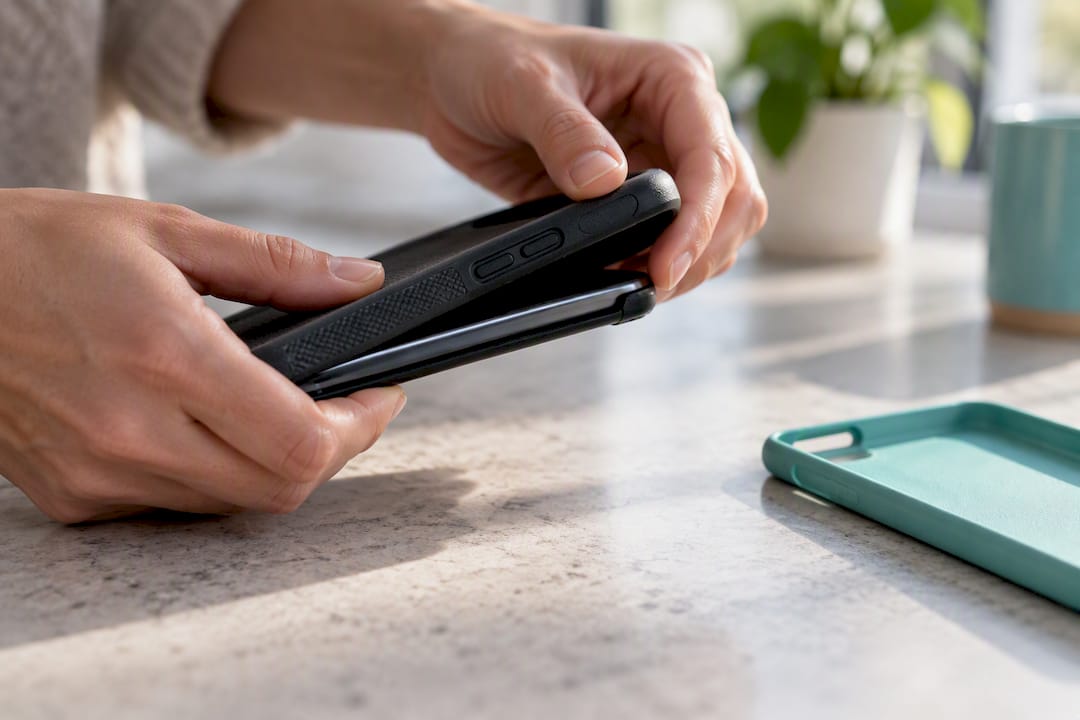
Case material matters more than most people assume. Thick silicone and rugged dual-layer cases, the kind marketed for drop protection, are excellent insulators. That’s great for cushioning a fall and terrible for letting heat escape, since they trap warmth against the phone’s back glass and metal frame instead of letting it dissipate into the air.
Thin polycarbonate or hard-shell cases perform better thermally because they hold less material against the phone’s surface and often include cutouts around the camera module and buttons that allow some airflow. Leather and fabric-backed cases fall in the middle, generally breathing a bit better than solid silicone but still adding an insulating layer compared to no case at all.
Design matters as much as material. A case with a raised lip and open back panel lets more heat radiate away than a fully wrapped, edge-to-edge design. If you regularly game, use navigation for long stretches, or fast charge often, consider a case built with ventilation cutouts, or simply pull the case off during those high-load moments, which is one of the fastest ways to shed excess heat.
This doesn’t mean every protective case is a problem. For daily use and normal charging, the difference is minor. It becomes relevant specifically when your phone is already running hot from gaming, navigation, or fast charging, and the case is the one variable standing between that heat and the open air.
Could a Hardware Fault Beyond the Battery Be the Cause?
The battery gets blamed for most overheating complaints, and often deserves it, but it isn’t the only component that can run hot. The processor and graphics chip, the same silicon responsible for gaming performance and camera processing, generate meaningful heat under load, and a fault in either one can produce warmth that has nothing to do with battery health.
A few hardware-level issues beyond the battery show up as persistent heat:
- A short circuit on the logic board, often from prior liquid exposure, can cause components to draw power erratically and generate heat even when the phone sits idle.
- A damaged charging port with bent or corroded pins can create resistance that generates heat during every charging session, independent of the cable or adapter used.
- A malfunctioning temperature sensor can misreport heat levels entirely, triggering false thermal warnings or, worse, failing to trigger real ones when the phone is actually overheating.
These faults typically show a pattern that’s hard to fix with settings changes: heat that persists even when the phone is idle, freshly restarted, and not charging. That combination is the clearest signal that something on the board itself, not just the battery, needs a technician’s diagnostic equipment to identify.
How Do You Track Your Phone’s Temperature Over Time?
Some overheating happens gradually enough that you don’t notice a pattern until it’s already a problem. Third-party monitoring apps solve this by logging temperature readings over hours or days instead of relying on how hot the phone feels in your hand at one moment.
On Android, apps like CPU-Z and AIDA64 pull real sensor data directly from the chipset and battery, showing you both current temperature and a history graph. iPhone owners have fewer direct-access options since Apple restricts low-level sensor readouts, but battery health tracking built into Settings under Battery Health & Charging still shows degradation trends that correlate closely with heat problems.
To use any of these tools effectively:
- Check the reading right after a period of normal use, not immediately after charging or gaming, to get a baseline.
- Log the temperature at the same time each day for a week if you suspect a recurring issue.
- Watch for readings that climb during idle periods specifically, since that pattern points toward background drain or a hardware fault rather than something you’re actively doing.
If a monitoring app consistently shows elevated temperatures during idle stretches with no heavy apps running, that data is worth bringing to a repair shop. It turns a vague “my phone feels hot sometimes” into a specific pattern a technician can test against.
Should You Fix It Yourself or Take It to a Shop?
The five-minute checklist in this guide handles the vast majority of overheating complaints, and there’s genuinely no downside to trying it first. Where DIY stops making sense is anything involving the battery or logic board. Opening a swollen battery or probing a charging port with tools you’re not trained on risks turning a repairable problem into a dangerous one. A shop’s diagnostic also catches faults early, before a bad port or a degrading battery forces a full board replacement. If speed and a warranty matter to you, a certified technician is the faster, safer route once the basics haven’t solved it.
— SS
Get an Overheating Diagnostic From a Certified Technician
If you’ve already worked through the cooldown checklist and the heat keeps coming back, the fastest way to get a real answer is a professional diagnostic, not another round of settings changes. Mobilecareusa offers battery replacement, charging port repair, water damage recovery, and full diagnostics designed to catch exactly the issues covered in this guide, from a corroded port to a battery that’s quietly failing.

Most repairs are completed the same day within a short timeframe, and every job comes with skilled technicians, quality parts, and a warranty, so you’re not left guessing whether the fix will hold. That combination of speed and a backed guarantee is what separates a real diagnostic from another cycle of DIY troubleshooting that may or may not stick.
Check the full list of repair services to see what’s covered, or find your nearest location, including Perimeter Mall, Cumberland Mall, and Augusta Mall, to book an in-person diagnostic today.
Where to Verify These Fixes Yourself
For device-specific limits and manufacturer guidance, Apple’s support page on operating temperature and thermal protection and Google’s Pixel overheating guidance are worth bookmarking. For a broader diagnostics angle on battery-related heat, this quick battery-check guide walks through a similarly fast troubleshooting approach.
Sources
- If your iPhone or iPad gets too hot or too cold - Apple Support
- Android Phone Overheating? 5 Fixes That Take 5 Minutes | WhistleOut
- Phone overheating causes, diagnostics & prevention
- Smartphone overheating? The warning signs you shouldn’t ignore – Tech Advisor
FAQ
How Do I Get My Phone to Stop Overheating?
Unplug it, remove the case, and move it to a shaded or air-conditioned spot while closing any heavy apps like games or navigation. If it’s too hot to hold, power it off for a few minutes, and once it’s cool, check the charging cable and background apps before using it normally again.
Why Did My Phone Suddenly Get So Hot?
Sudden heat usually comes from one of three things: direct sun or a hot car, a demanding app or hotspot use, or a charging cable and adapter mismatch. If none of those apply and the heat came out of nowhere while the phone sat idle, that pattern points toward a hardware issue like a failing battery or a faulty sensor.
Can a Phone Recover From Overheating?
Yes, in most cases. Once you remove the heat source, whether that’s direct sun, a bad charger, or a demanding app, the phone typically returns to normal temperature within minutes with no lasting damage. Repeated or severe overheating episodes can shorten battery lifespan over time, which is why persistent cases are worth having checked.
Is It Bad if Your Phone Is Really Hot?
Occasional warmth from gaming or fast charging is normal and not damaging on its own. It becomes a real concern when the phone is too hot to comfortably hold, when heat shows up with no clear cause, or when you notice a bulging case or a burning smell, all of which call for stopping use immediately and getting it looked at.
Does Mobilecareusa Repair Overheating-Related Problems?
Yes. Mobilecareusa offers battery replacement, charging port repair, and full diagnostics that address the most common hardware causes of overheating. Pricing for these services is available on the services page, and most repairs are completed same day.